
Reinforced index finger or Grandma: where should your next 100 cookies go?
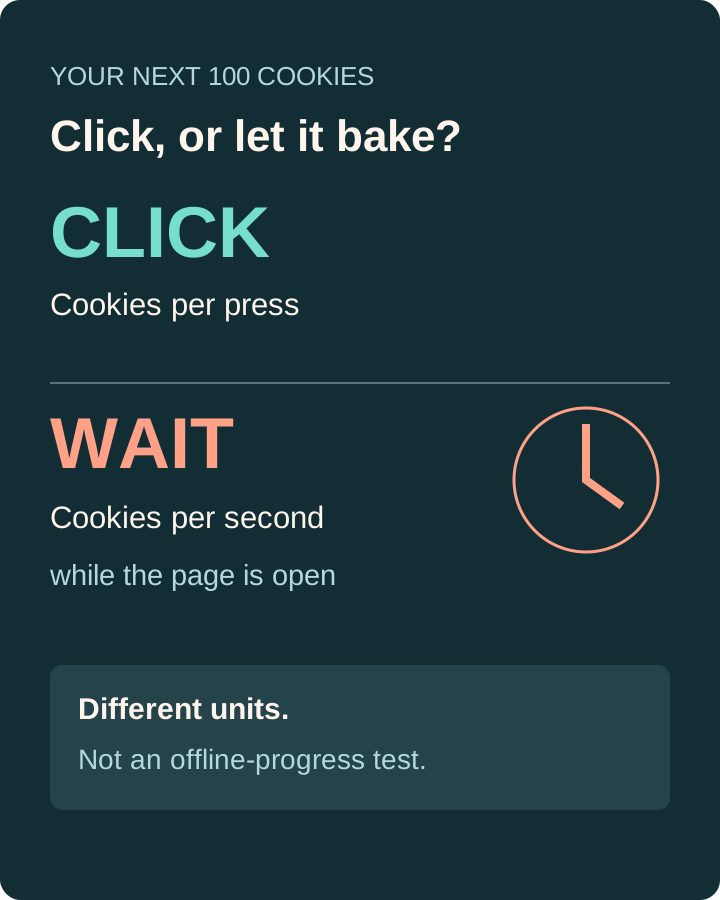
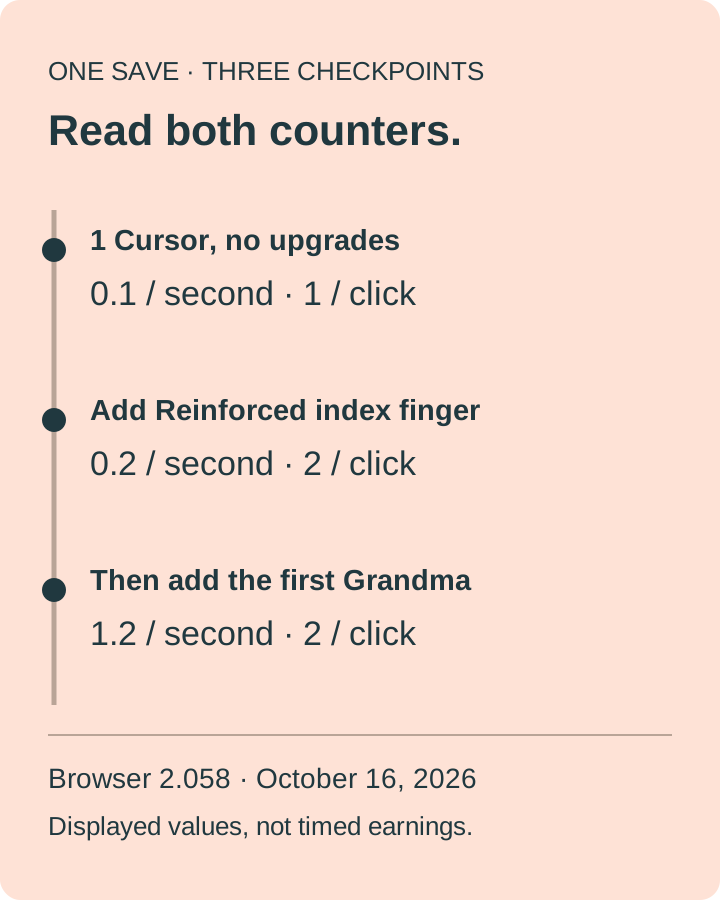
Decide whether you want stronger manual clicks or more automatic production while the game is open. In our one-Cursor opening, Reinforced index finger cost 100 and changed Cookies per click from 1 to 2, while displayed production changed from 0.1 to 0.2 cookies per second. Buying the first Grandma afterward, also priced at 100, raised total production to 1.2 per second without raising the 2-per-click value. The first option rewards continued clicking; the second added more passive production in this tested state. Neither is a universal best purchase.
Tested in the official desktop-browser game, version 2.058, on October 16. Starting condition: one Cursor, no ordinary upgrades, no Grandma. Purchases were sequential, not two identical saves running a race. We did not test a speedrun, later-game strategy or closed-tab earnings.
Choose for the session you actually want
If you intend to keep clicking: Reinforced index finger is the relevant comparison because it improved the manual-click value as well as the Cursor's displayed production in our opening. It did not add another building. Do not read the label “twice as efficient” as twice the entire bakery's income in every later save.
If you want to stop clicking but leave the page running: check the Grandma's price and production. Our first Grandma purchase added a displayed 1 cookie per second to the already upgraded Cursor's 0.2. The difference is 1.2 − 0.2 = 1, using the two observed total-production labels. The earlier finger purchase's displayed passive increase was 0.2 − 0.1 = 0.1. These are changes in displayed production, not measured stopwatch yields or a time-to-payback calculation.
If you intend to close the game: do not treat either purchase as an offline upgrade. We tested that separate issue in the early Cookie Clicker closed-tab report. “Automatic while open” and “earning while closed” need different evidence. Buying a better producer is not, by itself, evidence of the latter.
What changed in the same browser run?
Before either purchase
Cursor owned: 1
Grandma owned: 0
Cookies per second: 0.1
Cookies per click: 1
After the finger upgrade
Buildings owned: 1
Ordinary upgrades owned: 1
Cookies per second: 0.2
Cookies per click: 2
Then the first Grandma
Cursor: 1 · Grandma: 1
Buildings owned: 2
Cookies per second: 1.2
Cookies per click: 2
We opened Stats before buying. It showed 25 Cookie clicks and 25 Hand-made cookies. After the finger purchase, those counts had not changed. We then clicked the large cookie once; Stats subsequently showed 26 Cookie clicks and 27 Hand-made cookies. The respective differences were 26 − 25 = 1 click and 27 − 25 = 2 hand-made cookies. This is a cleaner check of that click's manual contribution than subtracting two bank balances while a Cursor is producing between observations.
Next we bought the first Grandma. After the panel refreshed, Stats showed two buildings, 1.2 cookies per second and 2 cookies per click. The store listed one Grandma and a next-Grandma price of 115. That 115 is the following purchase's price, not the first one's: the first purchase's tooltip had shown 100. No upgrade or second building was bought between the finger and the first Grandma.
How to check your own purchase without guessing
- Use the official browser game and note the version. Record owned buildings and any existing upgrades before comparing the figures above.
- Read the exact store item and price. Reinforced index finger was an upgrade icon; Grandma was a building. We inspected the upgrade tooltip before clicking it. Do not buy an unidentified icon merely because it is affordable.
- Open Stats and separate Cookies per click from Cookies per second. Record both before and after a single purchase, allowing the panel to refresh.
- For a manual-click check, compare Cookie clicks and Hand-made cookies around one press of the large cookie. Do not substitute a changing bank balance for the manual contribution.
- Check ownership afterward. A changed store price can describe the next item, while a successful upgrade may leave the store and appear among owned upgrades. Use the post-purchase Stats values rather than assuming the old tooltip updated instantly.
If your numbers differ, first compare your starting buildings and upgrades with our stated setup. A bakery with more Cursors or other boosts is not our one-Cursor baseline. If the bank is rising while you read, that also does not identify the precise purchase cost: use the price shown before the purchase. This report does not diagnose every possible multiplier or version difference.
Why this is a decision check, not an optimal build order
An early-purchase discussion in the Cookie Clicker player community describes buying click upgrades during a Speed Baking attempt. That is useful context for why active play changes the choice, not a controlled proof of the fastest general route. We did not attempt that challenge or measure clicks per second.
The two purchases here were affordable in a continuing save with more than 100 banked cookies; we did not restart at exactly 100 or run simultaneous alternatives. We therefore do not claim which route reaches a later milestone first. The practical answer is narrower: compare the metric your next session uses, check the actual purchase and its refreshed result, and avoid confusing manual clicks, open-page production and offline progress.
Need the earlier steps? See the first-Cursor test. Accidentally sold your only producer? Use the sale-and-recovery checklist. For a broader comparison of the best incremental games by play style, this is one opening decision, not a ranking of Cookie Clicker's entire game.